

Documentation Index
Fetch the complete documentation index at: https://specterops-enable-tls-feedback.mintlify.app/llms.txt
Use this file to discover all available pages before exploring further.

Create a Google Application
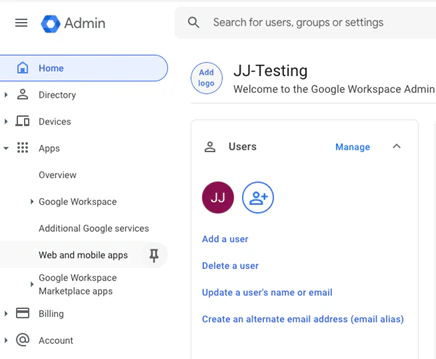
- On the Admin Console for Google Workspaces, use the left navigation bar and go to Apps -> Web and Mobile Apps
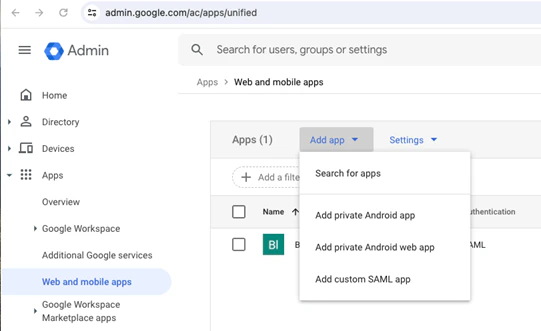
- Select “Add App” -> Add Custom SAML app
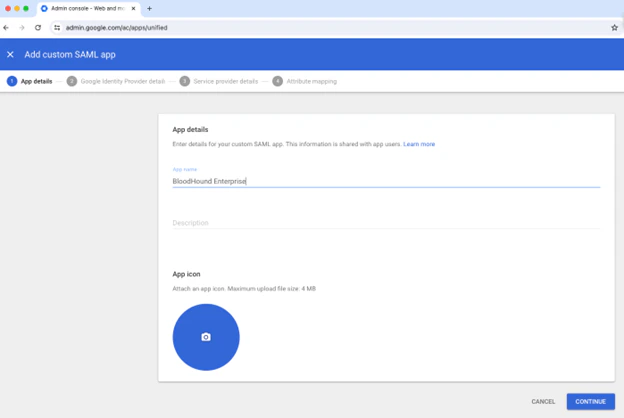
- Give the app an appropriate name, such as BloodHound Enterprise. Optionally, add an icon and description.
- On the next screen, download the metadata file and continue.
- Enter the ACS URL and Entity ID as provided in the BloodHound Enterprise console:
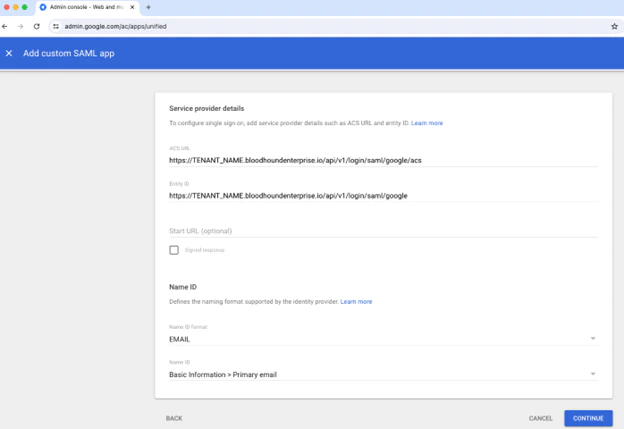
-
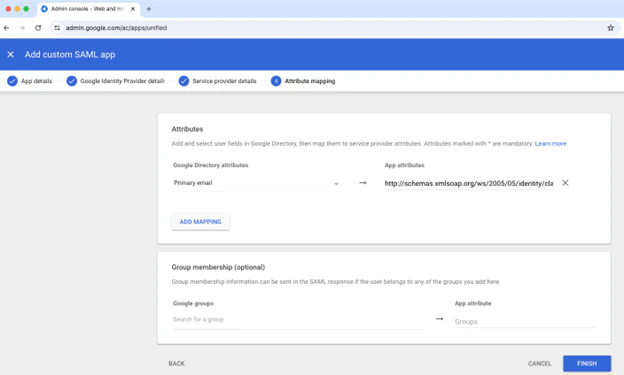
On the next screen, it is required to send the email attribute to BloodHound.
BloodHound will accept either of the following values as the “App Attributes”:
- http://schemas.xmlsoap.org/ws/2005/05/identity/claims/emailaddress
- urn:oid:0.9.2342.19200300.100.1.3
- Follow the instructions at SAML in BloodHound Enterprise to create the SAML provider in BloodHound Enterprise.